2D CHARACTER RIGGING
Introduction
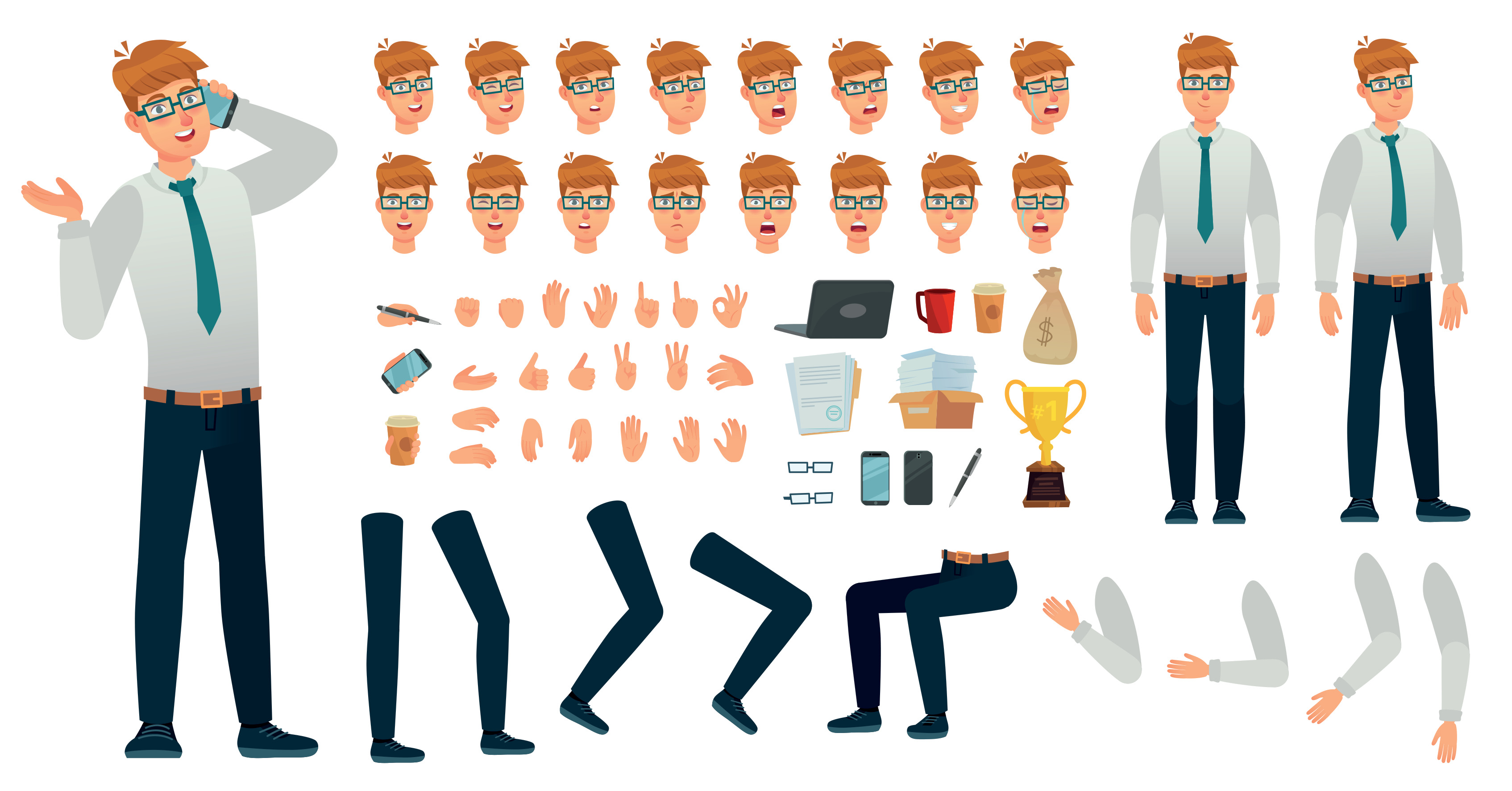
This technical course transforms static character art into functional digital puppets ready for animation pipelines. Students learn to cut up artwork, place pivot points, map deformation bones, and create structural controllers.
Instructor Profile

Prerequisites
Description
Topics Covered
• Preparing, layering, and naming Photoshop files (.psd) for rigging pipelines
• Cutting artwork into modular pieces (upper arm, forearm, hand, fingers)
• Understanding nesting hierarchies and parent-child layer relationships
• Setting up precise pivot joints for knees, elbows, shoulders, and necks
• Implementing vector-based deformation bones and mesh deformation grids
• Creating facial rigs: setting up eyelids, blinking loops, and mouth replacements
• Setting up automated kinematic solvers (IK/FK switches) for walking and reaching
• Testing the rig by building simple walk loops and range-of-motion animations
Course Objectives
• Organize digital layers using strict naming structures optimized for rigging engines.
• Establish precise rotational pivot tracks across all movable joints.
• Build flexible deformation structures that prevent digital texture stretching.
Learning Outcomes
• Clean and segment a complex character illustration into a ready-to-rig production file.
• Build a fully functioning skeleton hierarchy with working IK/FK control chains.
• Deliver a flexible 2D puppet rig capable of clean, organic movement loops.
Tools & Materials
• Desktop computer with digital drawing tablet access
• Rigging software: Toon Boom Harmony, Spine 2D, or Adobe Animate
• High-speed storage drive for backing up layered rigging project assets
• Headset or audio monitor for tracking movement beats during rig tests
Course Rules
·
Ready to Enroll?
Preserve your seat by filling in the application form, upload a sample of your artwork, or provide your Artstation account for revision. Kindly, Do Not pay unless you have a confirmation message from us that you are accepted in this course.